# TLDR articles, 𝕏 threads and YouTube videos
**URL:** https://talk.markets/t/tldr-articles-threads-and-youtube-videos/3441
**Category:** Features
**Tags:** telegram, discord, rick-ai
**Created:** [5 September 2024 21:28 UTC](https://talk.markets/t/tldr-articles-threads-and-youtube-videos/3441 "2024-09-05T21:28:20Z")
**Posts on this page:** 1
**Page:** 1
### Author:  [@Lux](https://talk.markets/u/Lux)
#### Post date: [5 September 2024 21:28 UTC](https://talk.markets/t/tldr-articles-threads-and-youtube-videos/3441/1 "2024-09-05T21:28:20Z")
You can use Rick to generate fast summaries for almost anything.
> [!tg] You can now [summarise 𝕏 threads](https://talk.markets/t/telegram-updates-for-rick/1155/23) with the / **tldr** command or by clicking the ✨ emoji on a Twitter/𝕏 repost from Rick.
# Supported platforms
- Twitter/𝕏 (threads & [profiles](https://talk.markets/t/tldr-articles-threads-and-youtube-videos/3441#p-12983-twitter-profile-summaries-5))
- Medium articles
- Substack articles
- GitHub repo’s
- YouTube videos
- Forum topics
- Short to medium-sized PDFs
# Usage
Use the `/tldr https://...` command to TLDR an article or website. There are multiple ways to use this command:
- `/tldr https://article.com`
- `/tldr` **in reply to** any message with a link
- `/tldr` in reply to **any long message** without a link
> [!discord] On Discord you can use `.s ` for articles & Twitter/𝕏 threads. Alternatively, `.sd` will generate a more **detailed** summary.
# TLDR any long message
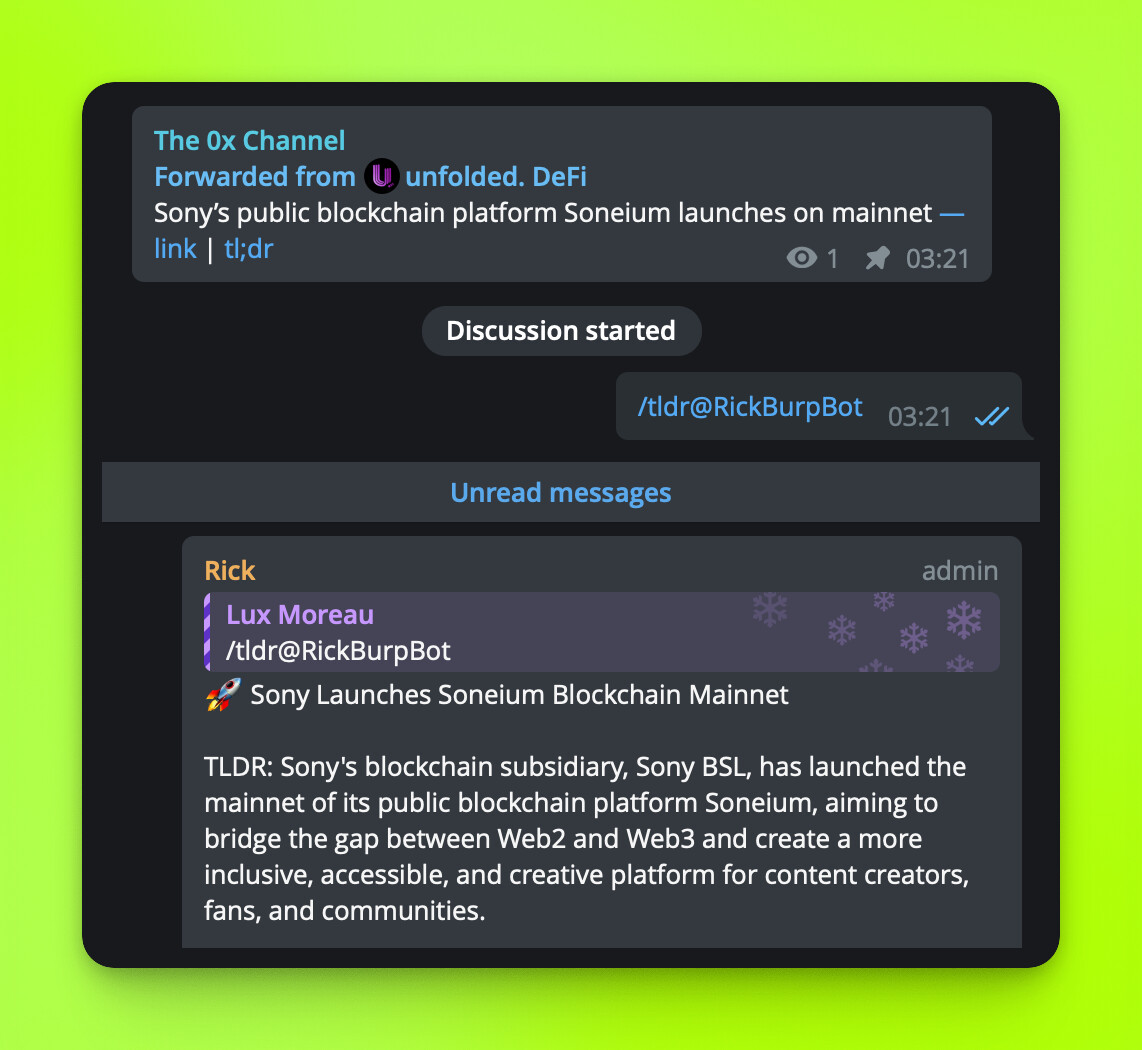
In Telegram, simply reply to any long/forwarded message with `/tldr` to summarize it.

# Twitter/𝕏 threads
Twitter/𝕏 threads are supported with the `/tldr` command on :telegram: Telegram.
On :discord: Discord you should use `.s tweet url`.

> [!tg] On Telegram, you can also click the ✨ emoji anwhere available to get a **profile** or **thread** summary.
>
> 
# Twitter/𝕏 profile summaries
**[User profile reports](https://talk.markets/t/twitter-profile-insights/2821)** can be generated for any Twitter/𝕏 profile with **recent tweets**.
- :discord: `.ts handle or profile link`
- :telegram: `/ts handle or profile link`

# YouTube summaries
Use `/vid https://...` on Telegram :telegram: to TLDR a YouTube video.
On Discord :discord: you can use `.vid `.
> [!tg] **Telegram** : The `/tldr` command supports YouTube videos directly now; `/vid` still works.
# Chat/channel summaries (dub)
Check out [this article](https://talk.markets/t/chat-summaries/3443) for more information.
# TIP: Handy in your channel :telegram:
If you have Rick [in your channel comment section](https://talk.markets/t/adding-rick-to-your-telegram-channel/2144), TLDR can be used in reply-to messages for quick TLDR’s.