# How to setup Telegram connection & alerts :telegram:
**URL:** https://talk.markets/t/how-to-setup-telegram-connection-alerts/645
**Category:** forum tips
**Tags:** archive
**Created:** [9 October 2022 07:53 UTC](https://talk.markets/t/how-to-setup-telegram-connection-alerts/645 "2022-10-09T07:53:12Z")
**Posts on this page:** 5
**Page:** 1
### Author:  [@Lux](https://talk.markets/u/Lux)
#### Post date: [9 October 2022 07:53 UTC](https://talk.markets/t/how-to-setup-telegram-connection-alerts/645/1 "2022-10-09T07:53:12Z")
> [!warning] Archived article, feature currently not operational.
You can receive notifications (like those in your right top bar) in Telegram and even reply to posts directly from Telegram. These are all **instant** , so this can be useful for time-sensitive alerts.
# How to receive alerts through Telegram?
1. Click “Start” in [our Telegram bot](https://t.me/TalkMarkets_AlertsBot) (Talk.Markets Alerts)
2. You will receive a code in a reply like this:
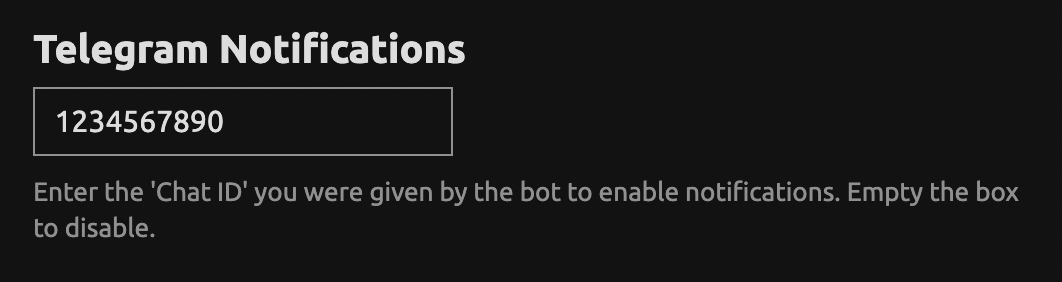
3. Enter this code on your profile page, all the way at the bottom [on this page \>\>](https://talk.markets/my/preferences/profile)
4. Click save & you’re all set to receive notifications on telegram. ✅
# How to reply through Telegram?
Whenever you receive a notification, you can double click the message (or swipe on phone) to enable reply mode. Type & send your reply, easy as that.

---
### Author:  [@aggynium](https://talk.markets/u/aggynium)
#### Post date: [21 July 2024 19:29 UTC](https://talk.markets/t/how-to-setup-telegram-connection-alerts/645/4 "2024-07-21T19:29:12Z")
> [@Lux](#):
>
> on this page \>\>
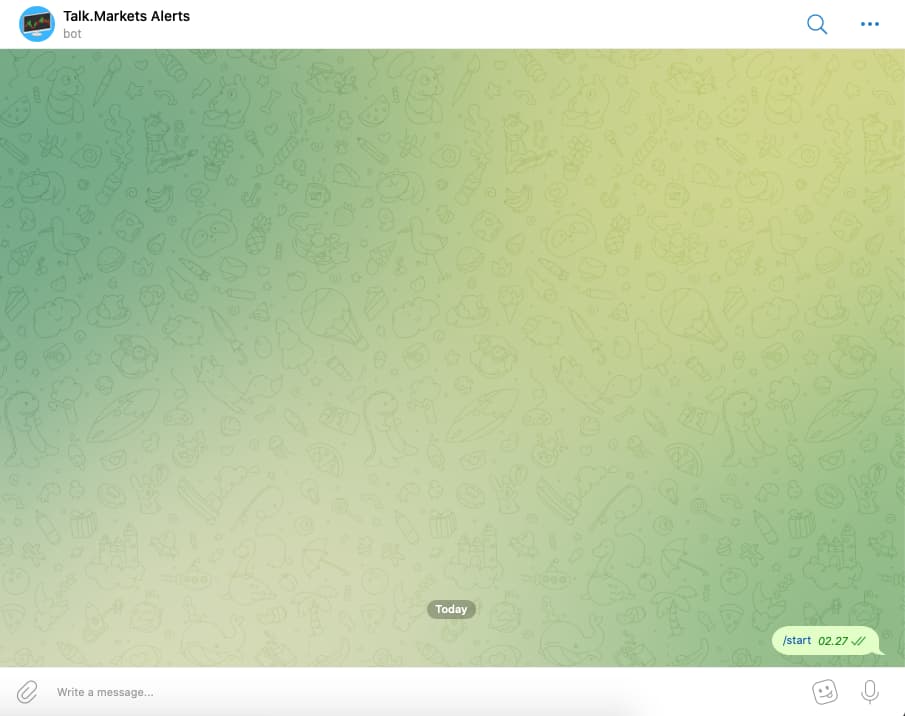
No response from the bot
---
### Author:  [@Lux](https://talk.markets/u/Lux)
#### Post date: [21 July 2024 19:31 UTC](https://talk.markets/t/how-to-setup-telegram-connection-alerts/645/5 "2024-07-21T19:31:32Z")
Oh damn I might’ve killed this bot a while ago because [native notifications](https://talk.markets/t/tip-add-talk-markets-to-your-home-screen-and-enable-notifications/186) should be working a lot better these days…
---
### Author:  [@aggynium](https://talk.markets/u/aggynium)
#### Post date: [21 July 2024 19:34 UTC](https://talk.markets/t/how-to-setup-telegram-connection-alerts/645/6 "2024-07-21T19:34:18Z")
You must have been working hard lately, right? Take a short break then work again 🙂
---
### Author:  [@Lux](https://talk.markets/u/Lux)
#### Post date: [21 July 2024 19:37 UTC](https://talk.markets/t/how-to-setup-telegram-connection-alerts/645/7 "2024-07-21T19:37:25Z")
Kinda, pretty used to it! But I do have my (short) breaks, haha. 😄